
Common install issues
During install or first launch, some systems may show a security prompt because platform signing is incomplete. Try the steps below. For more getting-started steps, see Install and first launch.
1. macOS
When installing or first opening on a Mac, the system may say it cannot verify the developer:

Do this:
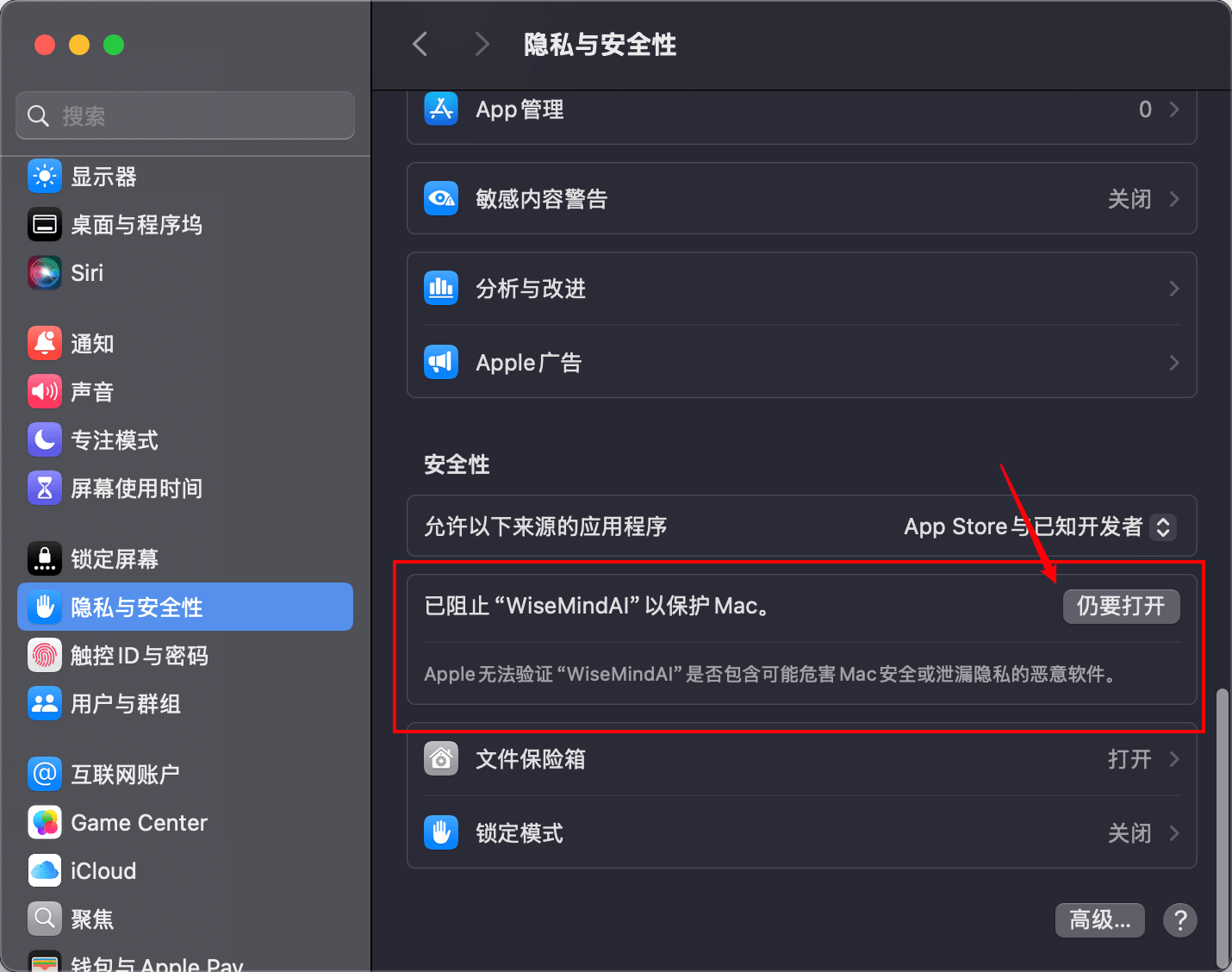
Open System Settings → Privacy & Security → Security, then click Open Anyway:
Confirm Open Anyway again in the dialog that follows:
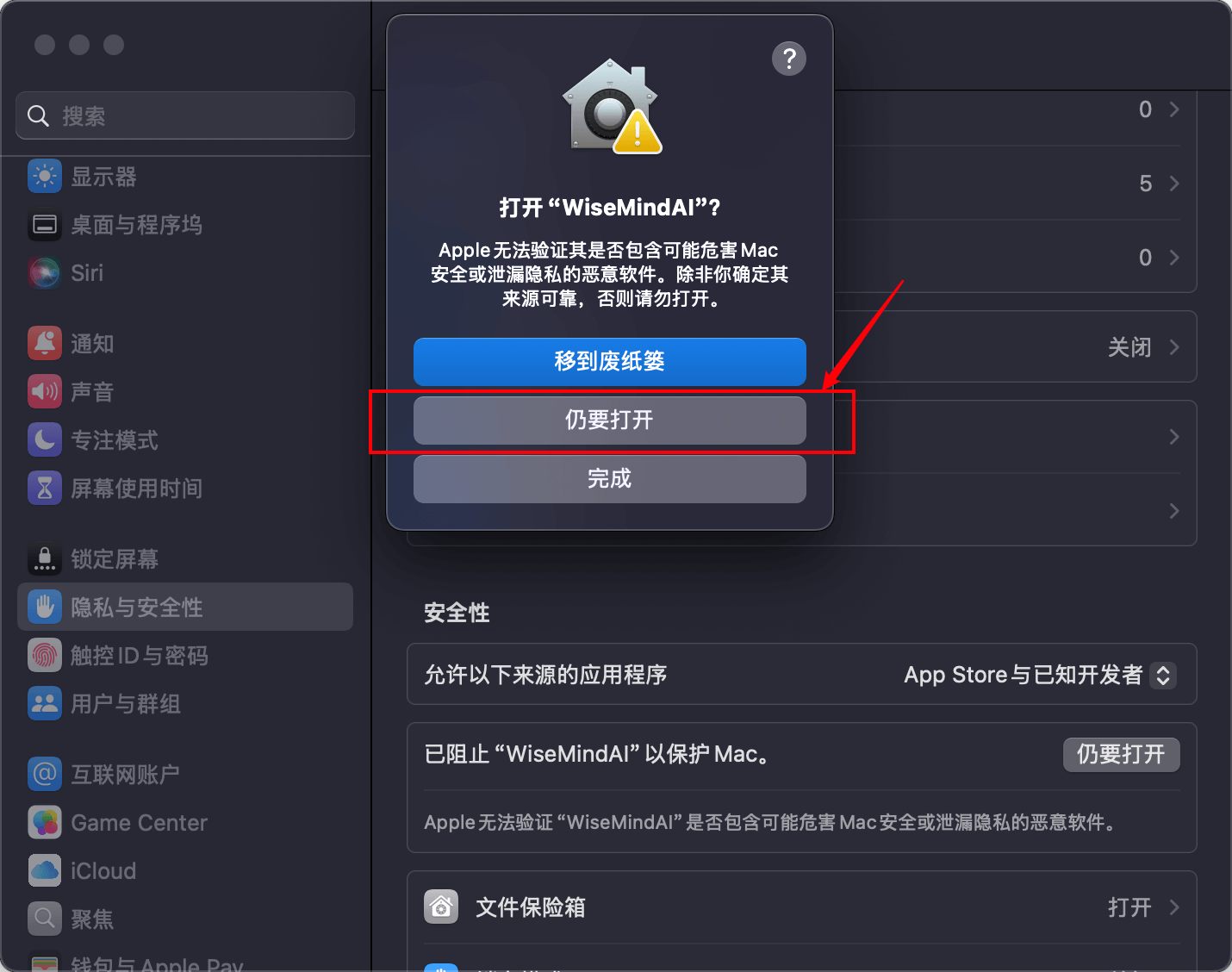
After that it should open normally.
You can also run in Terminal:
bash
xattr -cr /Applications/WiseMindAI.appThen run WiseMind AI again.
2. Windows
After downloading the installer, finish the wizard and launch. If antivirus or SmartScreen blocks it, choose Run anyway or add the app to the trust list, then try again.